Challenge Module
Find the challenges open to you, record your performance for a challenge, and view its details, leaderboard and team results.
Accessing the Module and Recording Performance
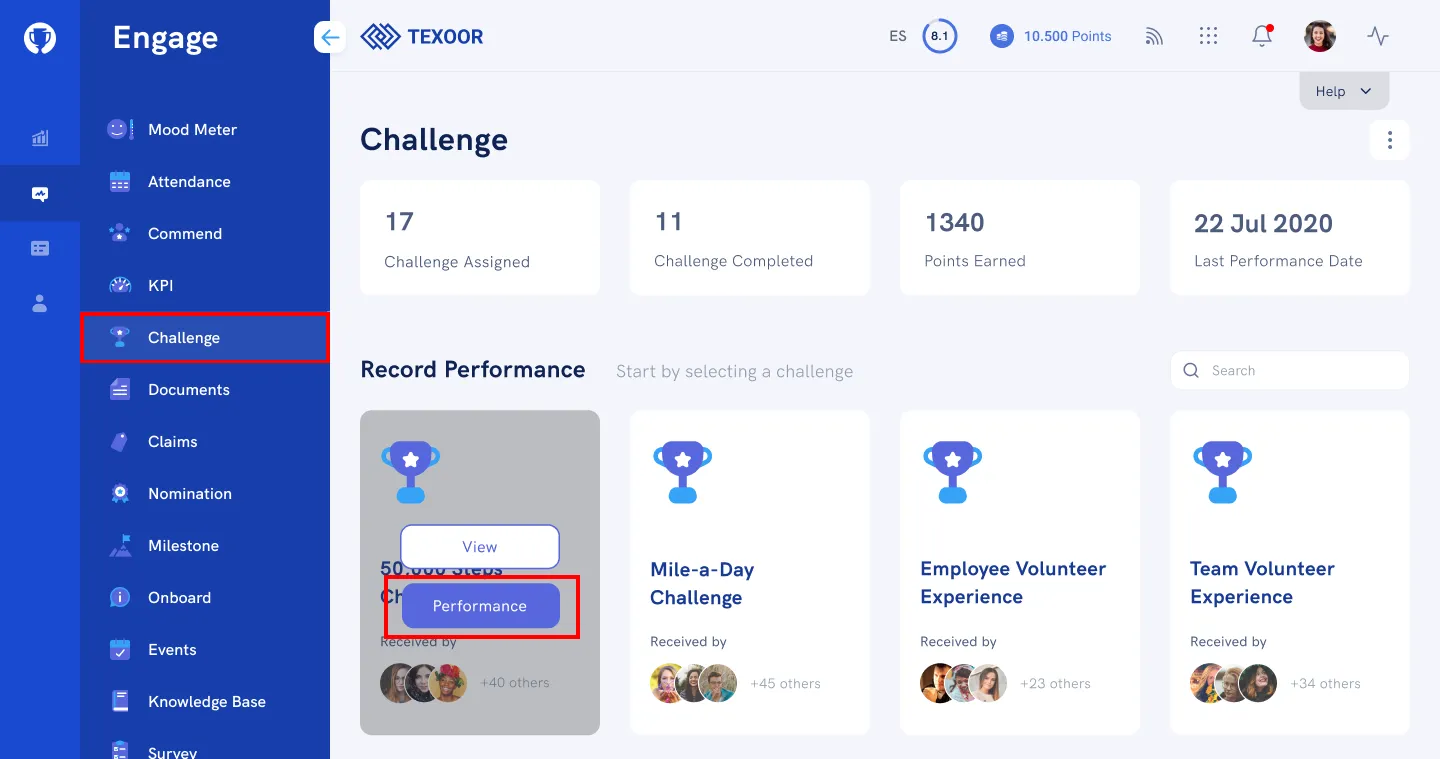
On the left navigation menu, click Challenge. The Challenge page features the currently available challenge categories and cards and activity stream with social commentary.
STEP 1. To record your performance for a challenge, scroll to the “Record Performance” section, mouse over the category, and click Performance.
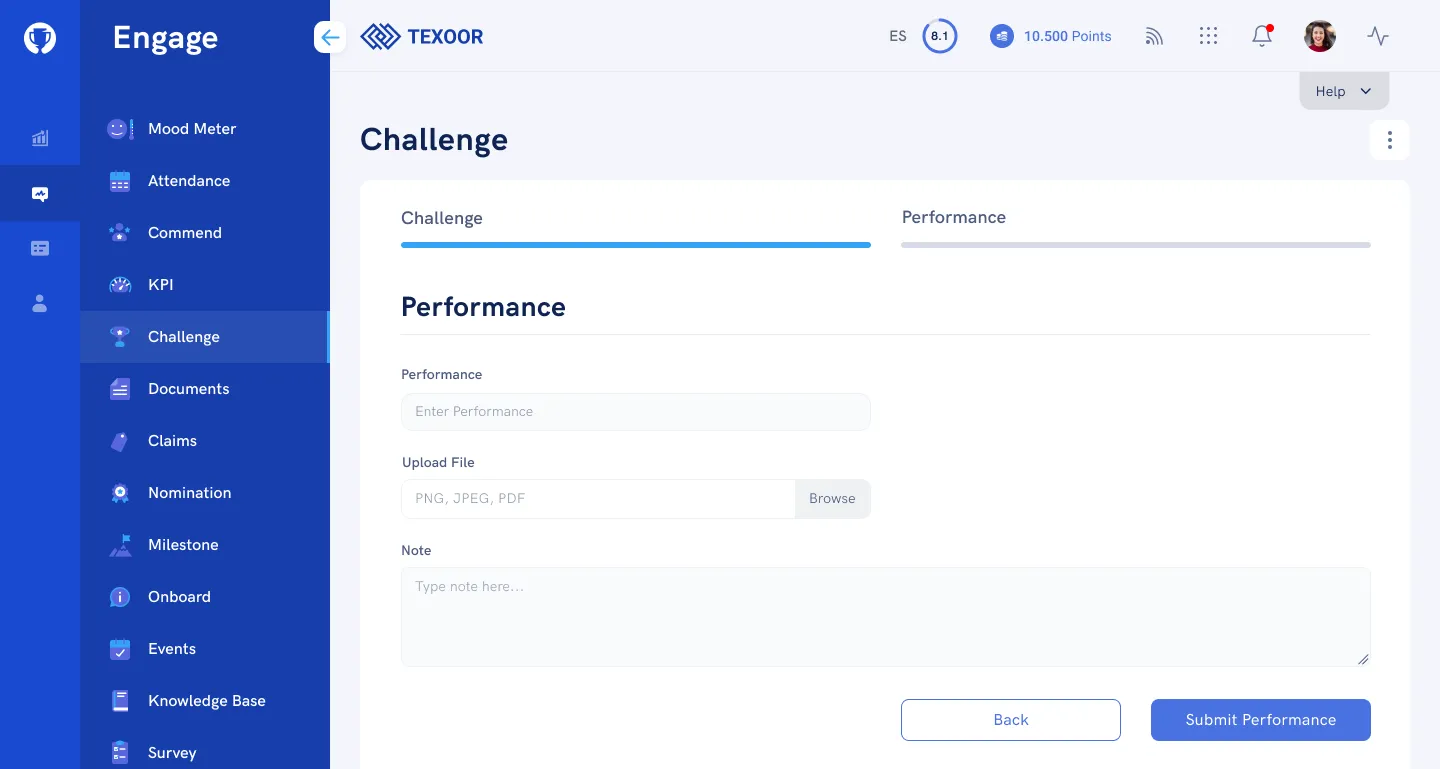
STEP 2. Enter the performance details in the fields provided and click Submit.
View Challenge Details
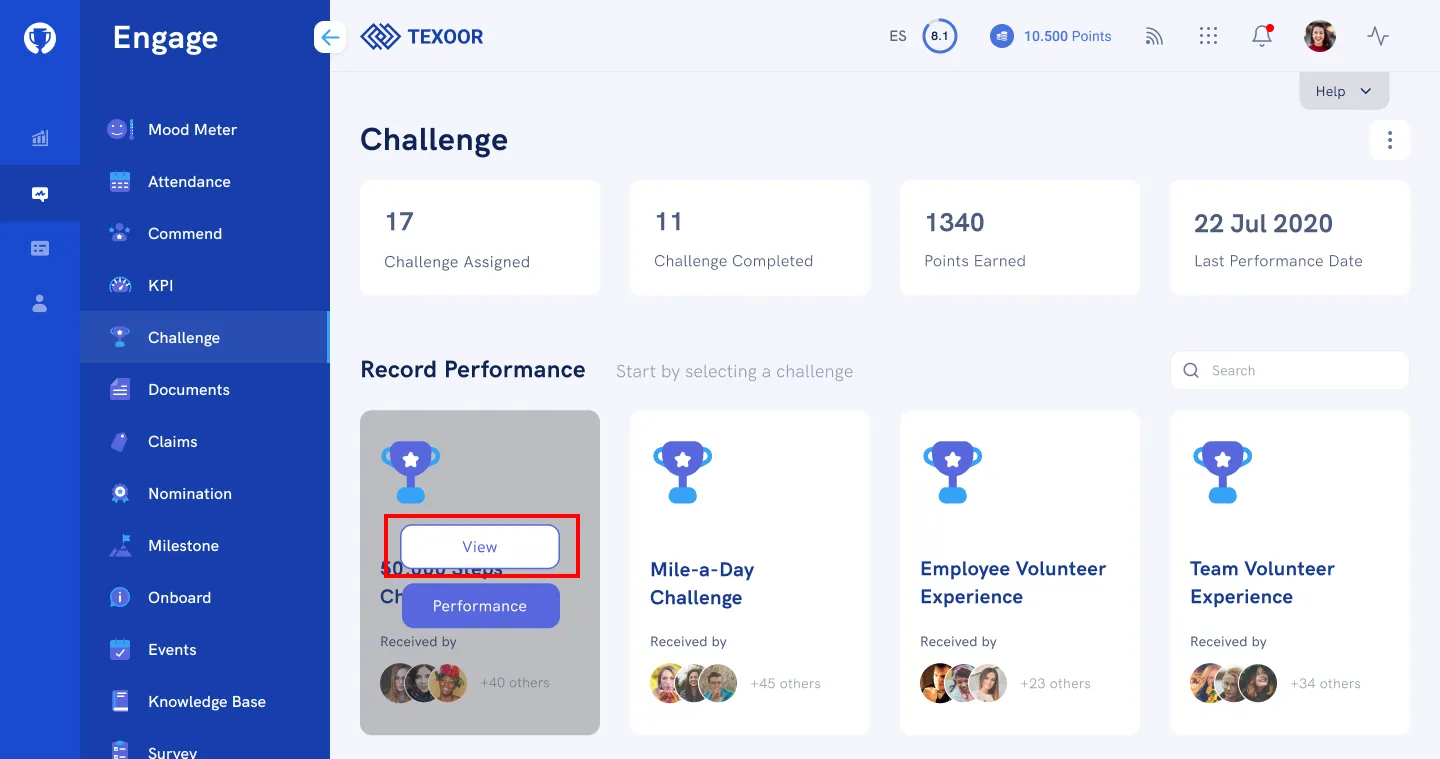
On the Challenge page, scroll to the “Record Performance” section, mouse over the category, and click View. The page that follows provides details regarding individual and team performance, leaderboard and any relevant rewards.
Need more help?
For questions about your program, such as your points, claims or rewards, contact your program administrator. Looking for where to sign in? Read how to find your program's login page.