Documents Module
Open the Documents page to browse the document categories and files shared with you, and download the documents you need.
Access and Download Documents
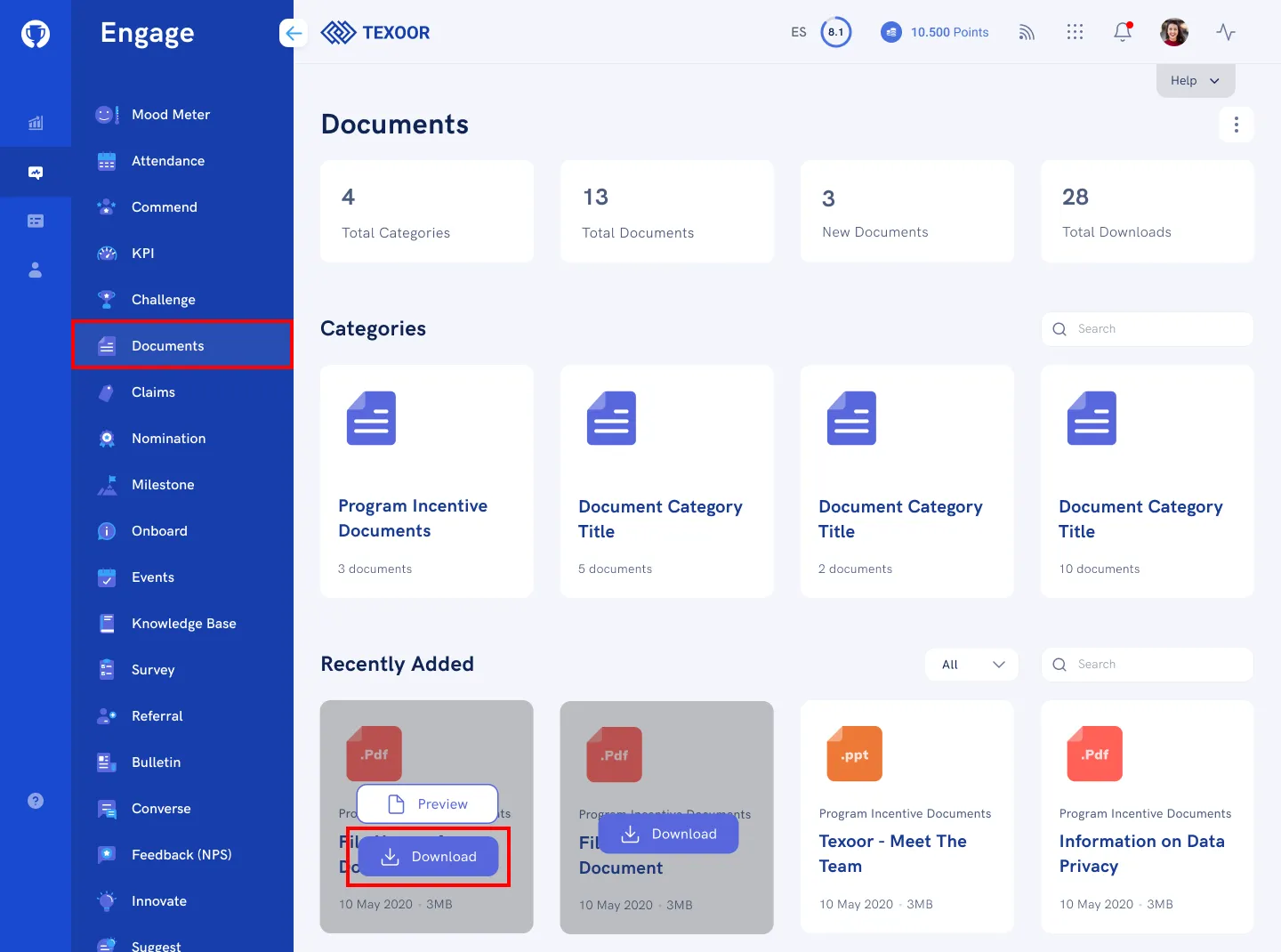
STEP 1. On the left navigation menu, click Documents. You’ll be presented with a quick summary, document categories, and available documents.
STEP 2. To download a document, mouse over the card, and click Download.
Need more help?
For questions about your program, such as your points, claims or rewards, contact your program administrator. Looking for where to sign in? Read how to find your program's login page.