Nomination Module
Nominate a colleague in one of your program's nomination categories with a note on why, and view recent nominations, awards and details.
Accessing the Module
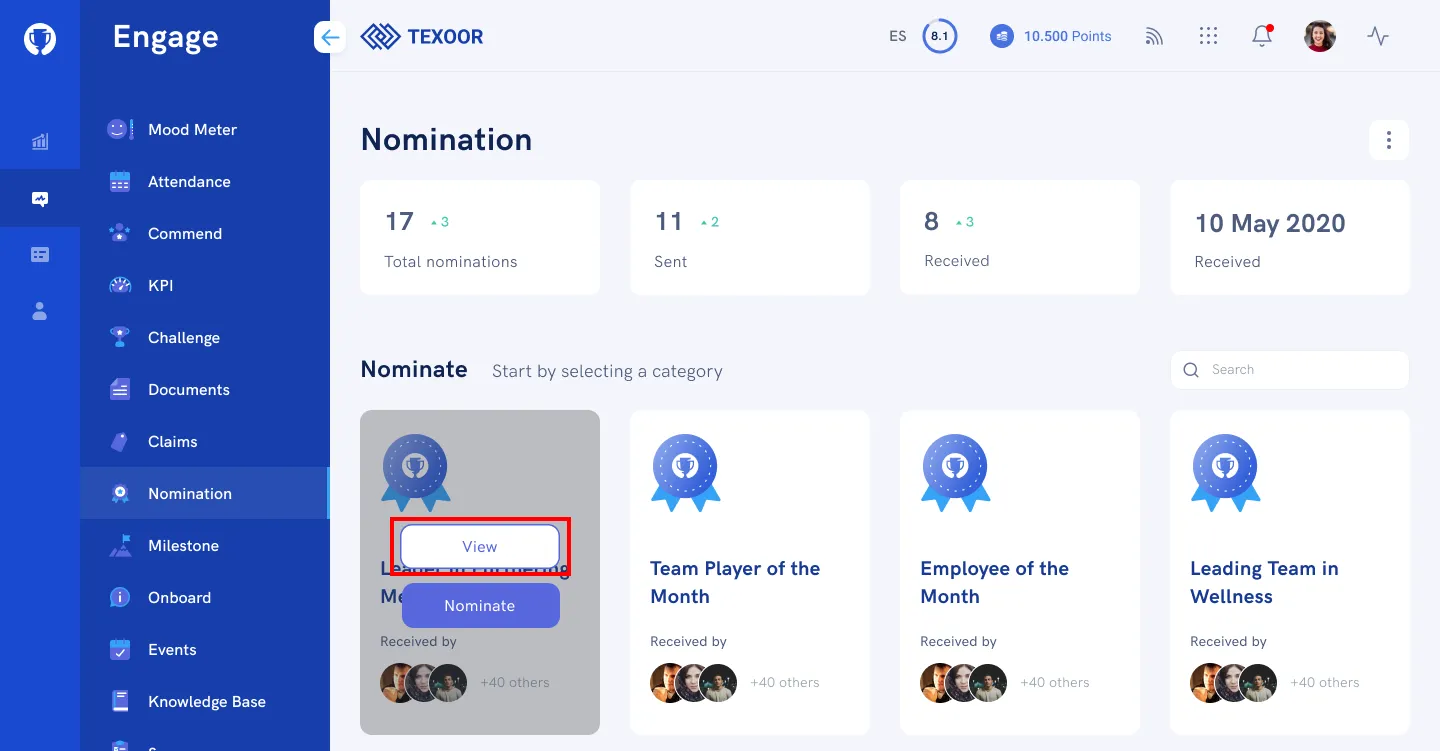
On the left navigation menu, click Nominations. You’ll be presented with a quick summary of stats, nomination categories and an activity stream where you can view recent nominations and awards.
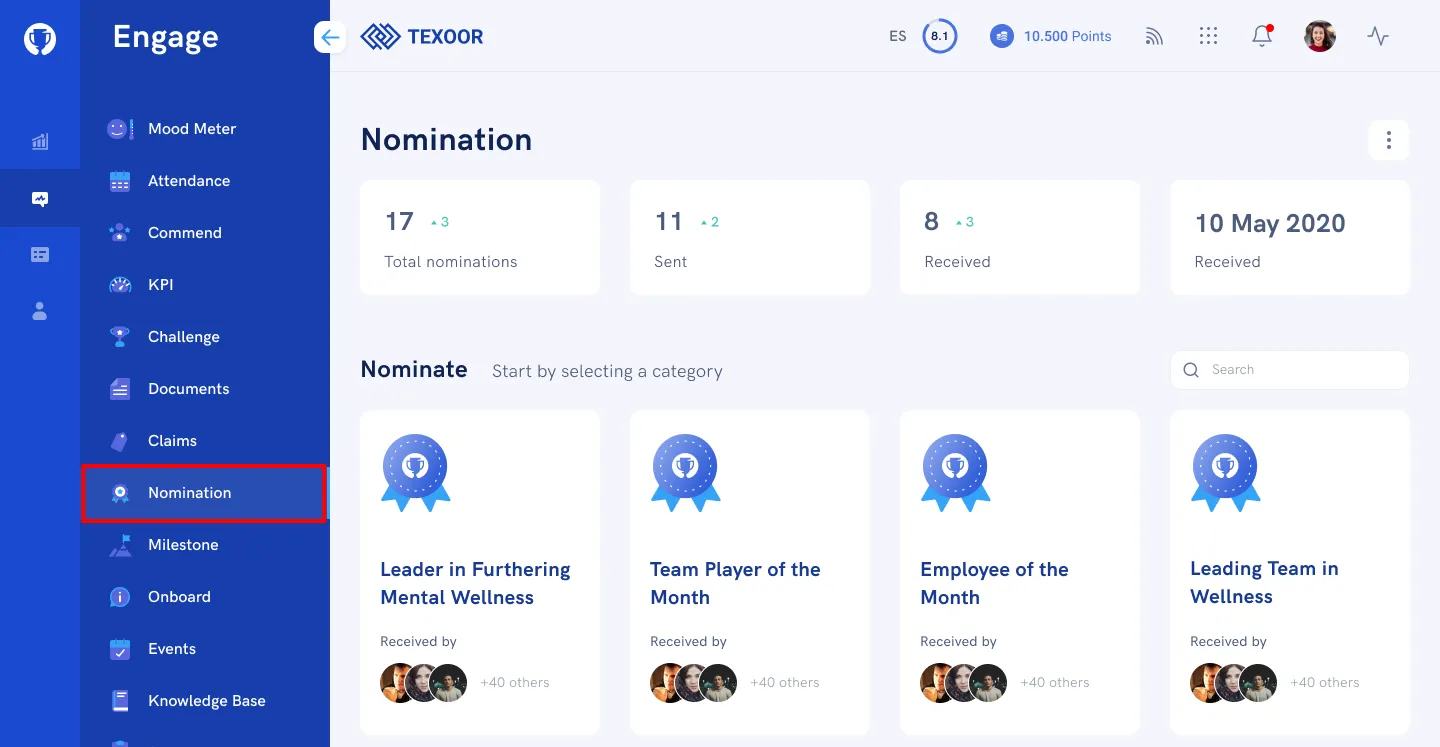
Nominating a Colleague
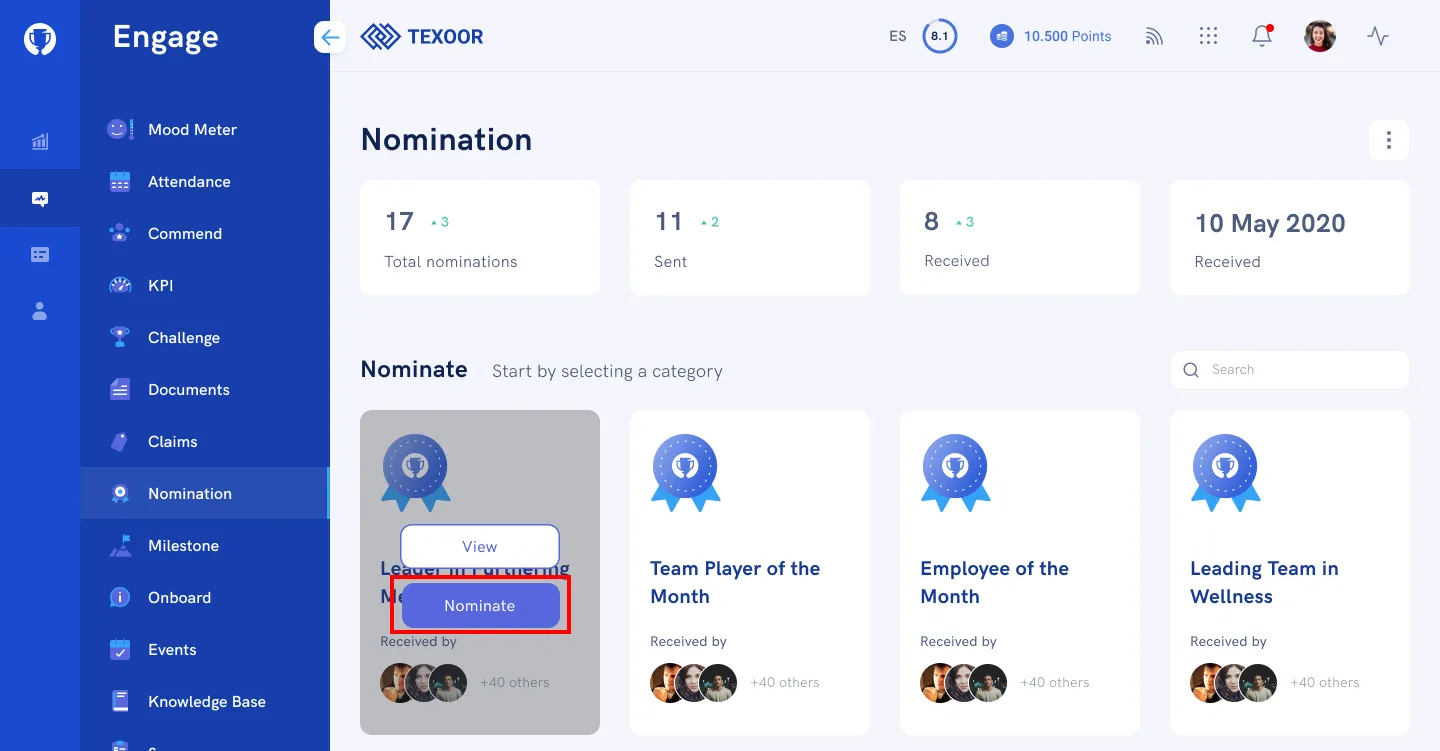
STEP 1. On the Nomination page, scroll to the “Nominate” section, mouse over the category, and click Nominate.
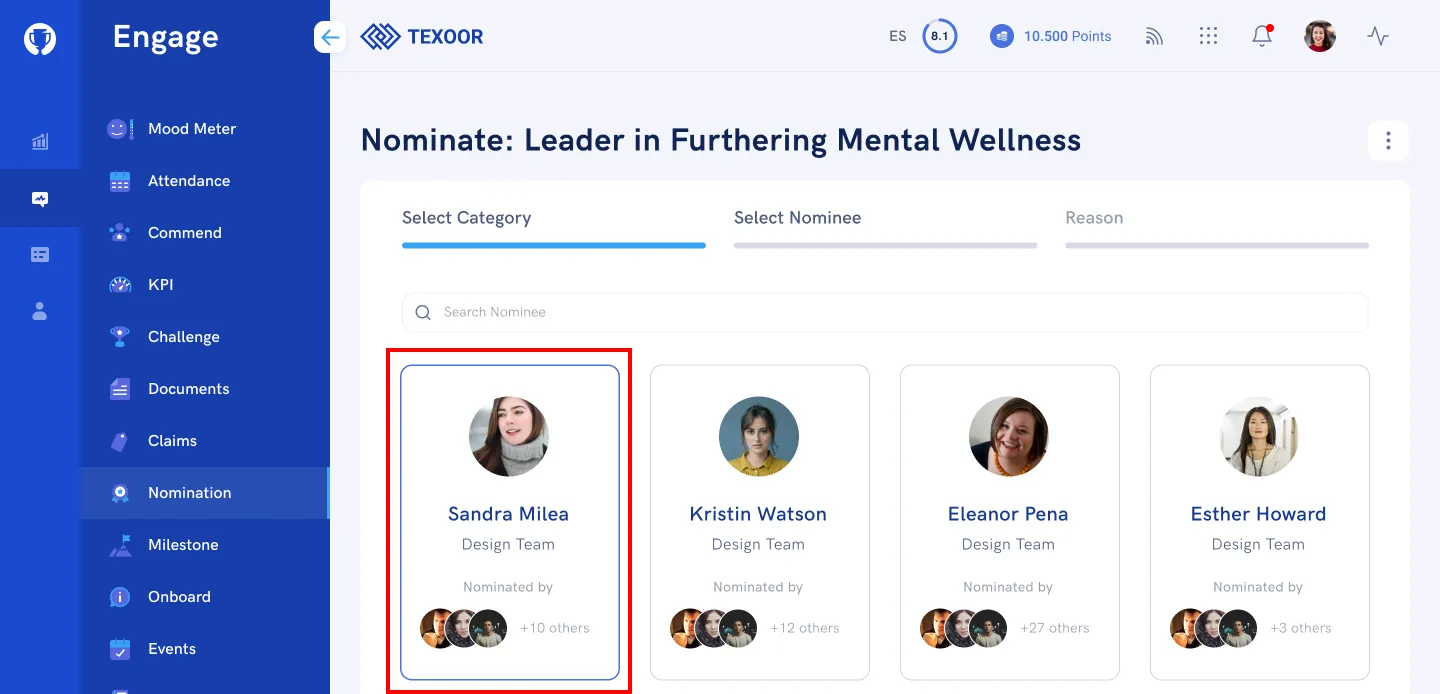
STEP 2. Select a Nominee.
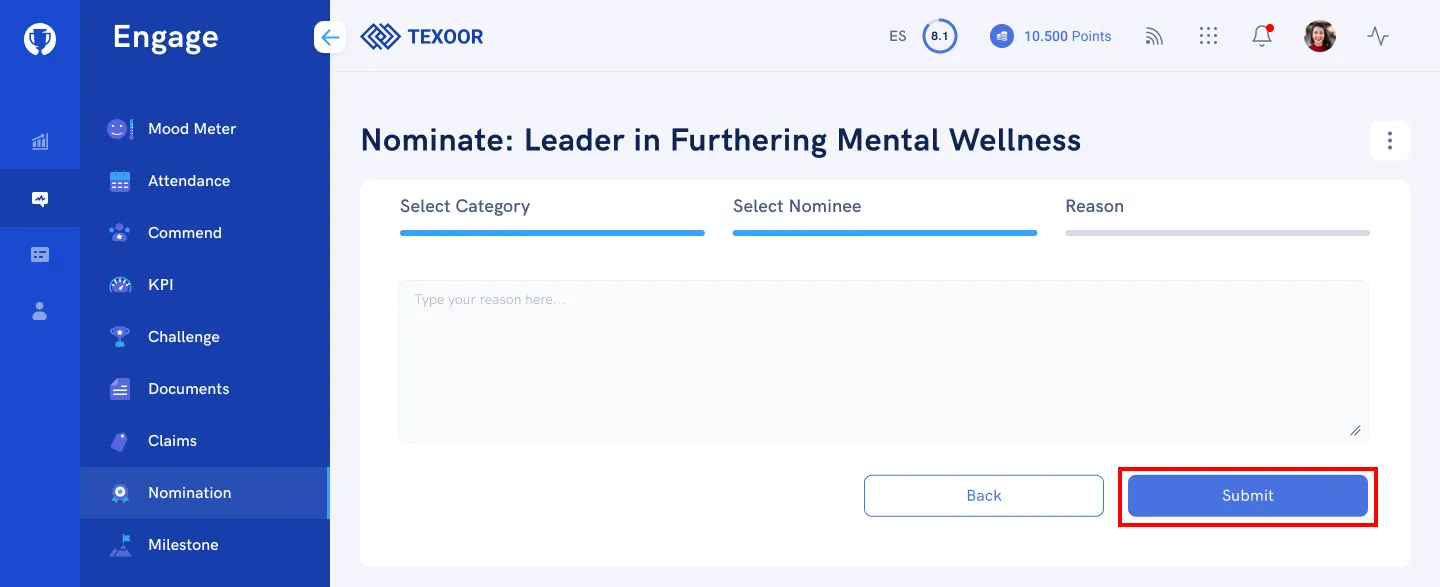
STEP 3. Enter a note or reason for your nomination and click Submit.
Nomination Details
To access the details of a nomination, from the Nomination page, scroll to the “Nominate” section, mouse over the category, and click View.
Need more help?
For questions about your program, such as your points, claims or rewards, contact your program administrator. Looking for where to sign in? Read how to find your program's login page.