Onboard Module
Complete the onboarding packages your program admin has set up by opening each card, answering its questions and submitting your answers.
The onboard module allows you to create various onboarding experiences to guide participants.
Accessing the Module
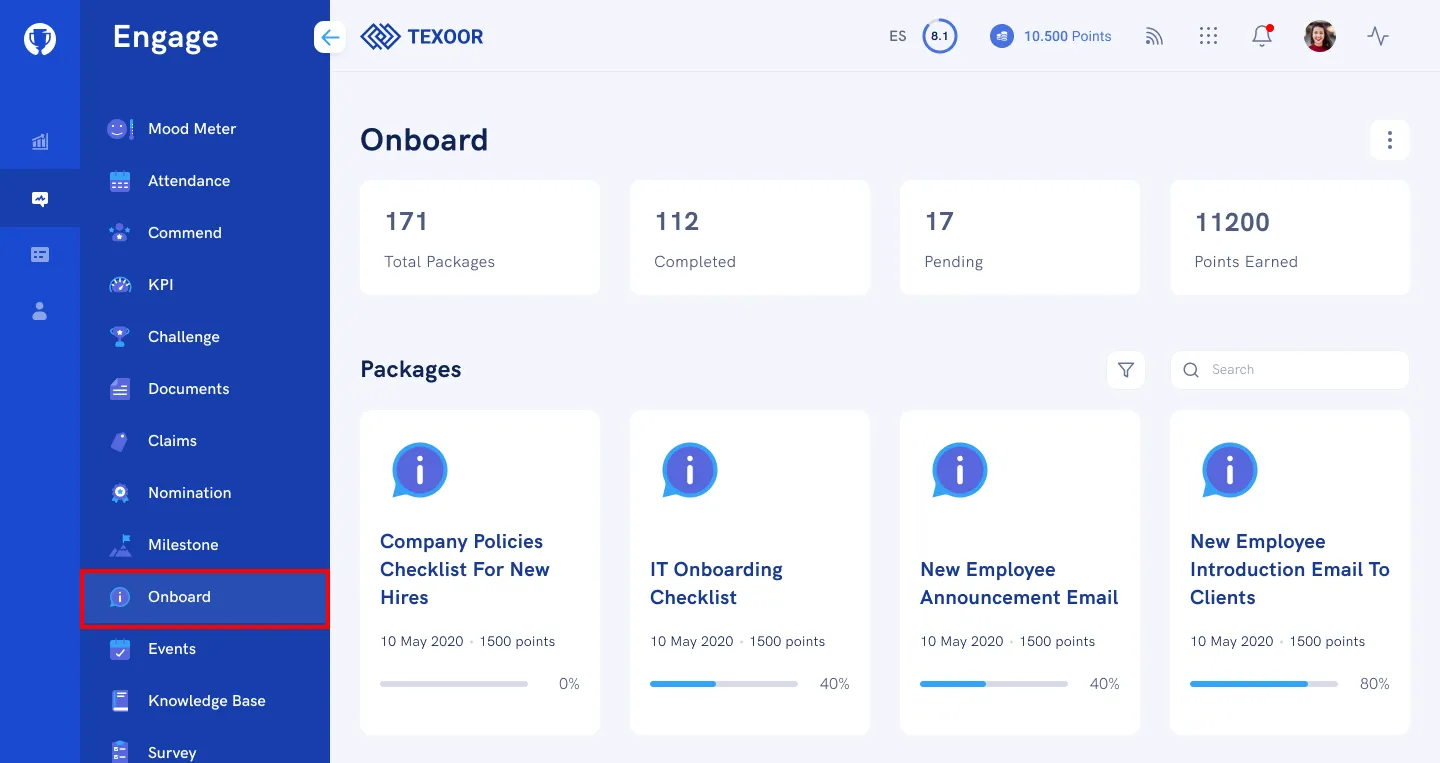
On the left navigation menu, click Onboard. You’ll be presented with a quick summary, onboard packages created by the admin, and recently completed onboard packages by participants.
Completing a Package
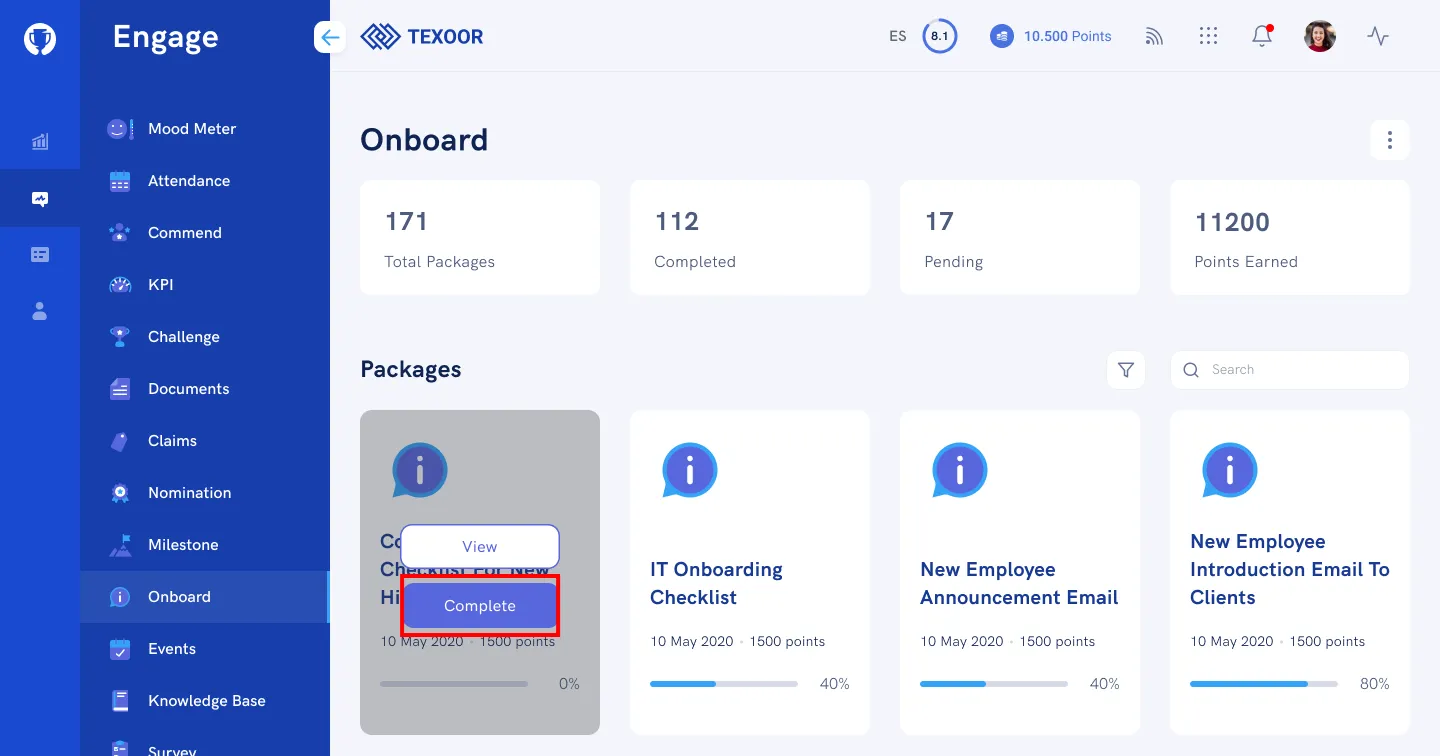
STEP 1. On the Onboard page, mouse over a package and click Complete.
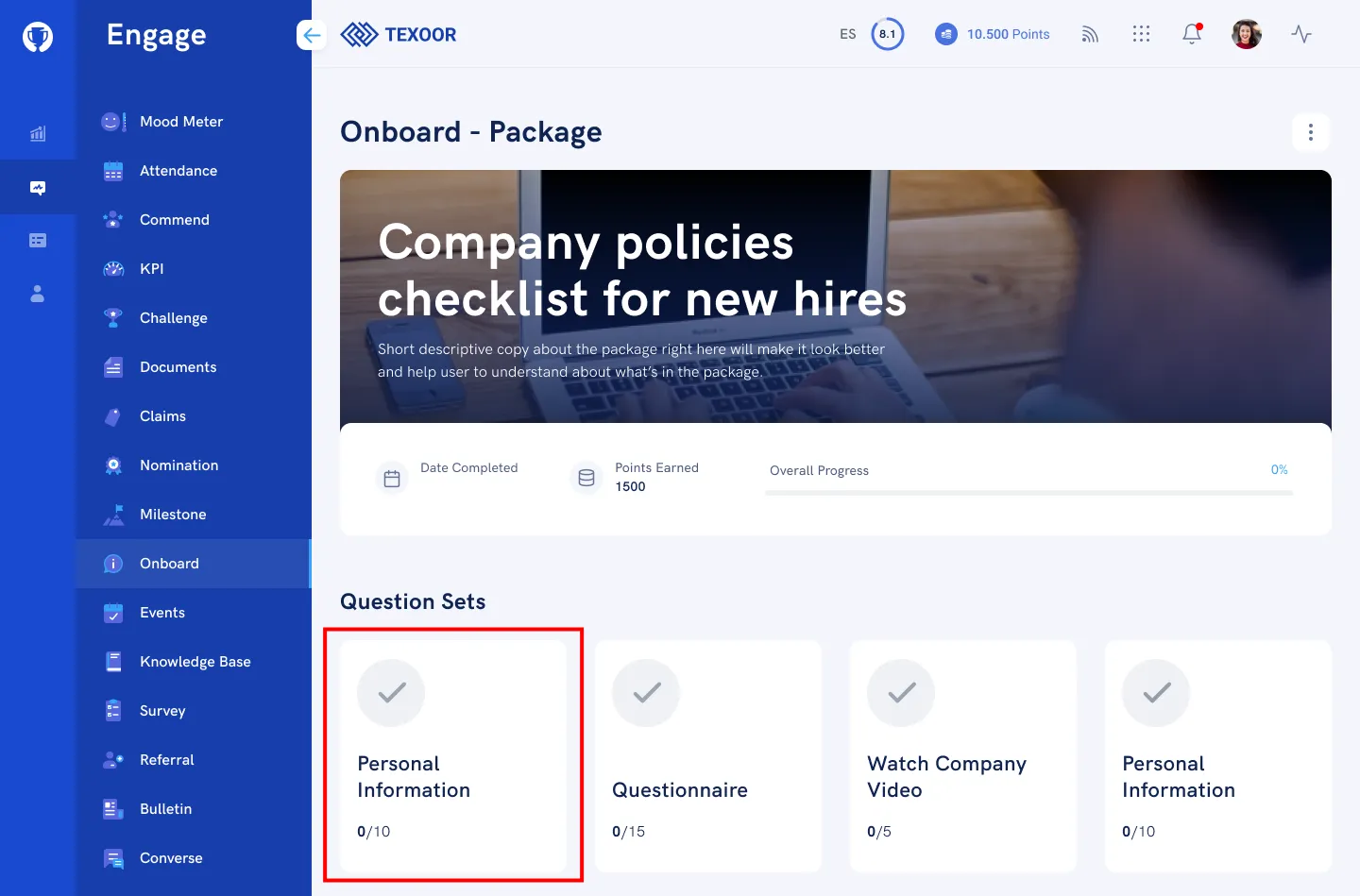
STEP 2. Click on a card to access and answer the question for that category
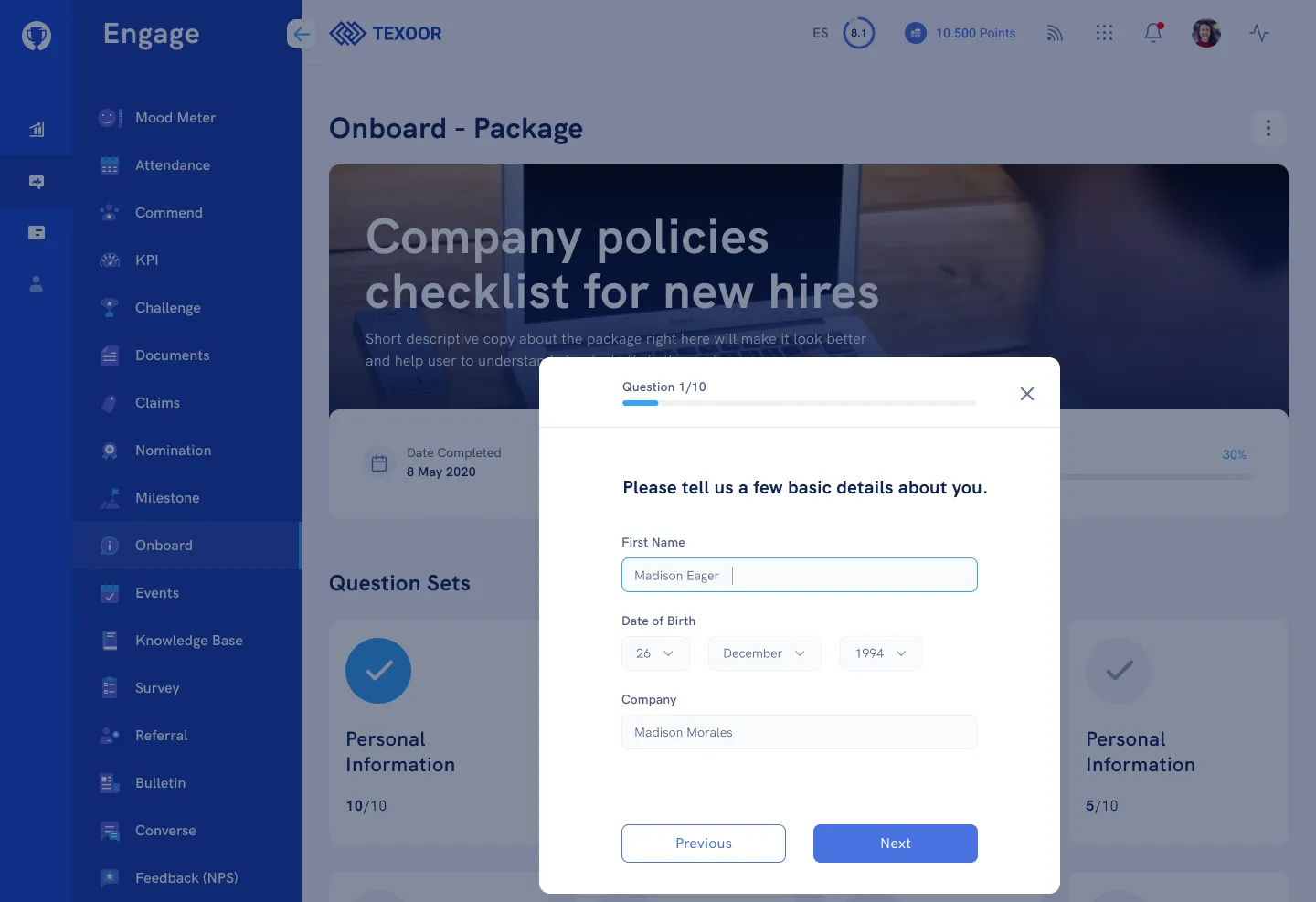
STEP 3. Enter your answers in the fields provided. On the last step, click Submit
Need more help?
For questions about your program, such as your points, claims or rewards, contact your program administrator. Looking for where to sign in? Read how to find your program's login page.