Employee of the Month Module
Open the Employee of the Month page and give a new award by entering its date, category and description, then view past awards.
Access Employee of the Month
- On the left navigation menu, click Employee of the Month.
Create New Employee of the Month Award
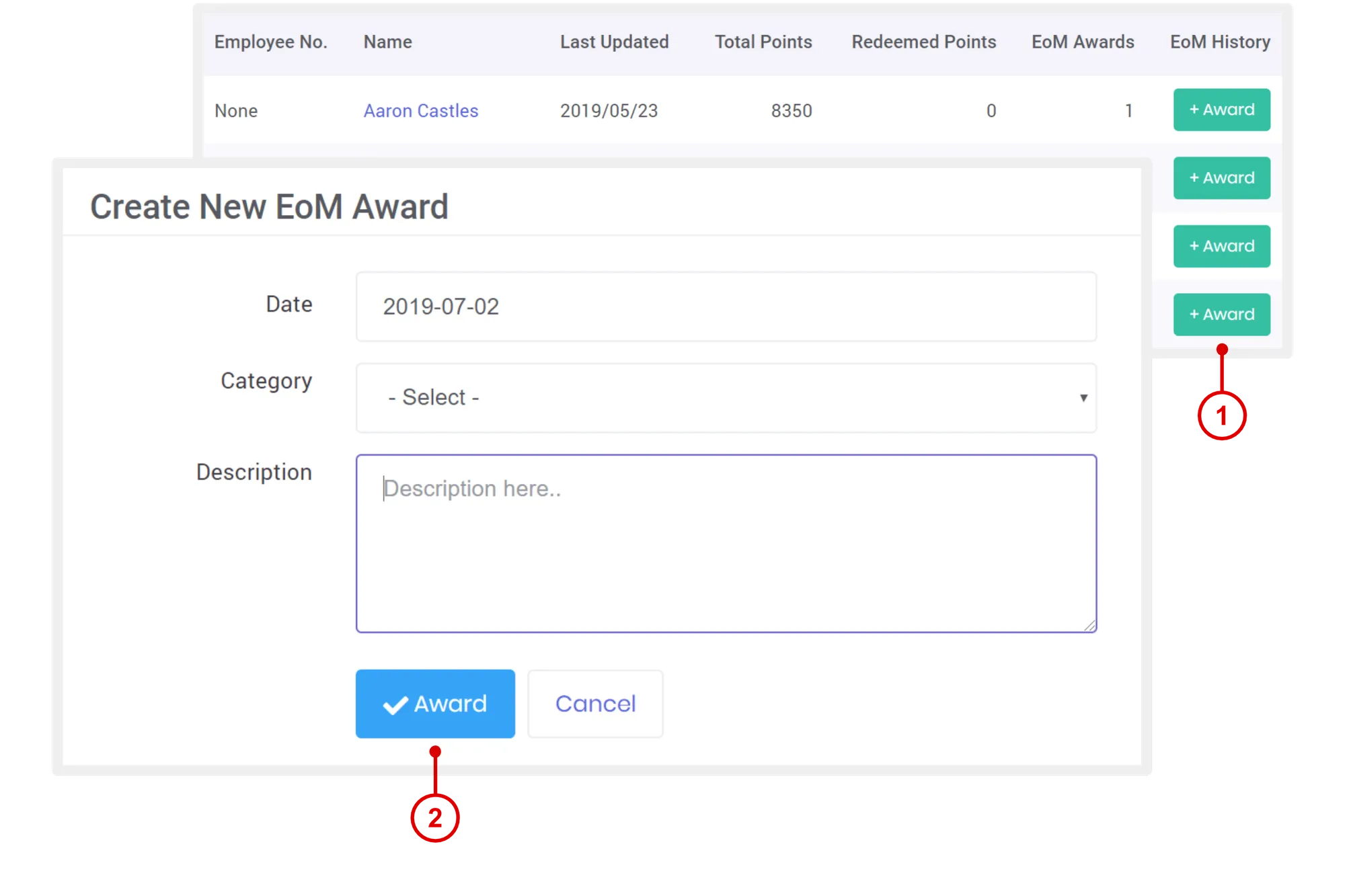
- On the Employee of the Month page, under Employee of the Month History column, click + Award.
- Once open, enter Date > Category > Description > click Award.
Need more help?
For questions about setting up or running your program, email hello@rewardco.com.