Programs and Modes
Create programs for your organisation, teams or regions, build engagement modes to reuse across them, and edit, pause or archive programs.
Create one or more programs for your organisation, teams, or regions. A program could be a time-based campaign. Refine and reuse engagement modes across programs.
Create a Program
-
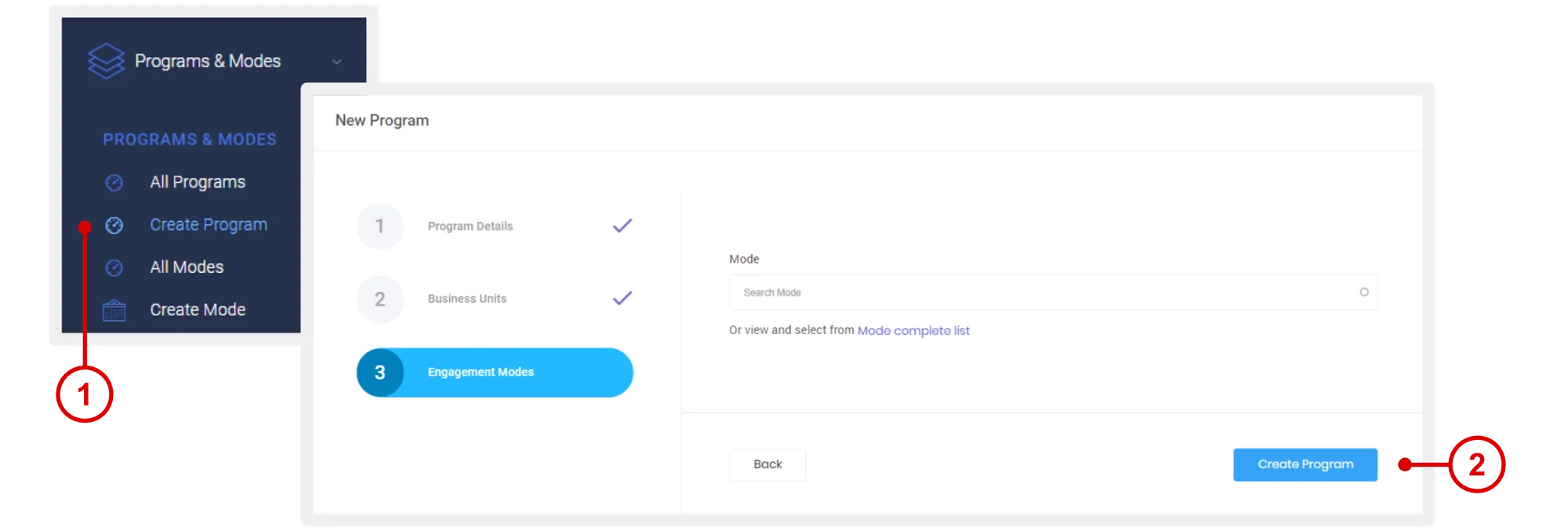
On the left navigation menu, click Programs & Modes > Create Program.
-
Enter the required information.
- Select a business unit. If no unit has been created, please see “Create Unit” on how to create business units.
- Select an engagement mode. If no mode has been created, please see “Create Engagement Mode” on how to create engagement modes.
- Click Create Program.
View List of Programs
- On the left navigation menu, click Settings > Programs.
This page displays program statistics and lists all the programs created.
Tabs
- Active: List of programs running.
- Paused: List of programs paused.
- Archived: Programs pushed to archive.
Actions
- View: View the details of a single program.
- Edit: Edit a program.
- Pause: Pause a program, cease all activities.
- Archive: Push to archive list.
Edit a Program
- On the Programs List page, under “Actions” column, click Edit.
- Make the necessary edits and click Update.
Create Engagement Mode
-
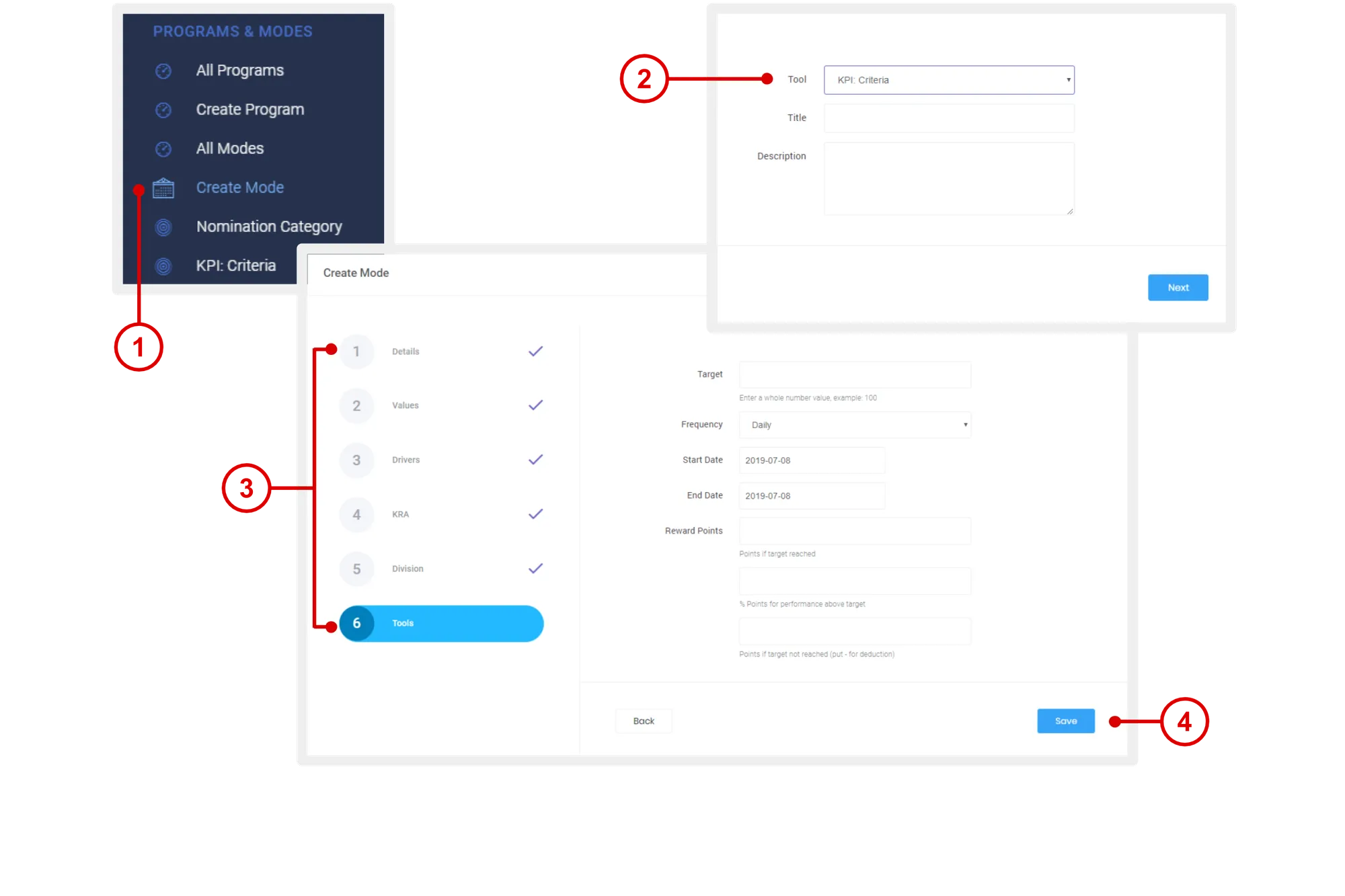
On the left navigation menu, click Programs and Modes > Create Mode.
-
Select an engagement mode under “Tool”.
-
Enter the necessary details:
- Details: Title and description of the KPI.
- Values: Tie in your org context.
- Drivers: Tie in your org context.
- KRA: Tie in your org context.
- Unit: Make this KPI exclusive for specific groups or units.
- Tools: The fields presented on this page will depend on the selection under “Tool” on step 2 above.
-
Click Save to create the engagement mode.
Need more help?
For questions about setting up or running your program, email hello@rewardco.com.